
Live cursors & follow mode
See teammates' cursors on the canvas with name pills and idle markers, and one-click follow a teammate so your viewport mirrors theirs in real time.
The moment a second person opens the same diagram, their cursor appears on your canvas and yours appears on theirs. CorriDraw also shows everyone connected as a row of avatars in the top-right corner. Click any avatar to follow that teammate so your viewport tracks their pan and zoom; click it again to stop. Cursors quietly fade when their owner stops moving the mouse. All of this is end-to-end encrypted: the collaboration server in the middle relays bytes but never sees positions, names, or anything else about the scene.
What a live cursor looks like
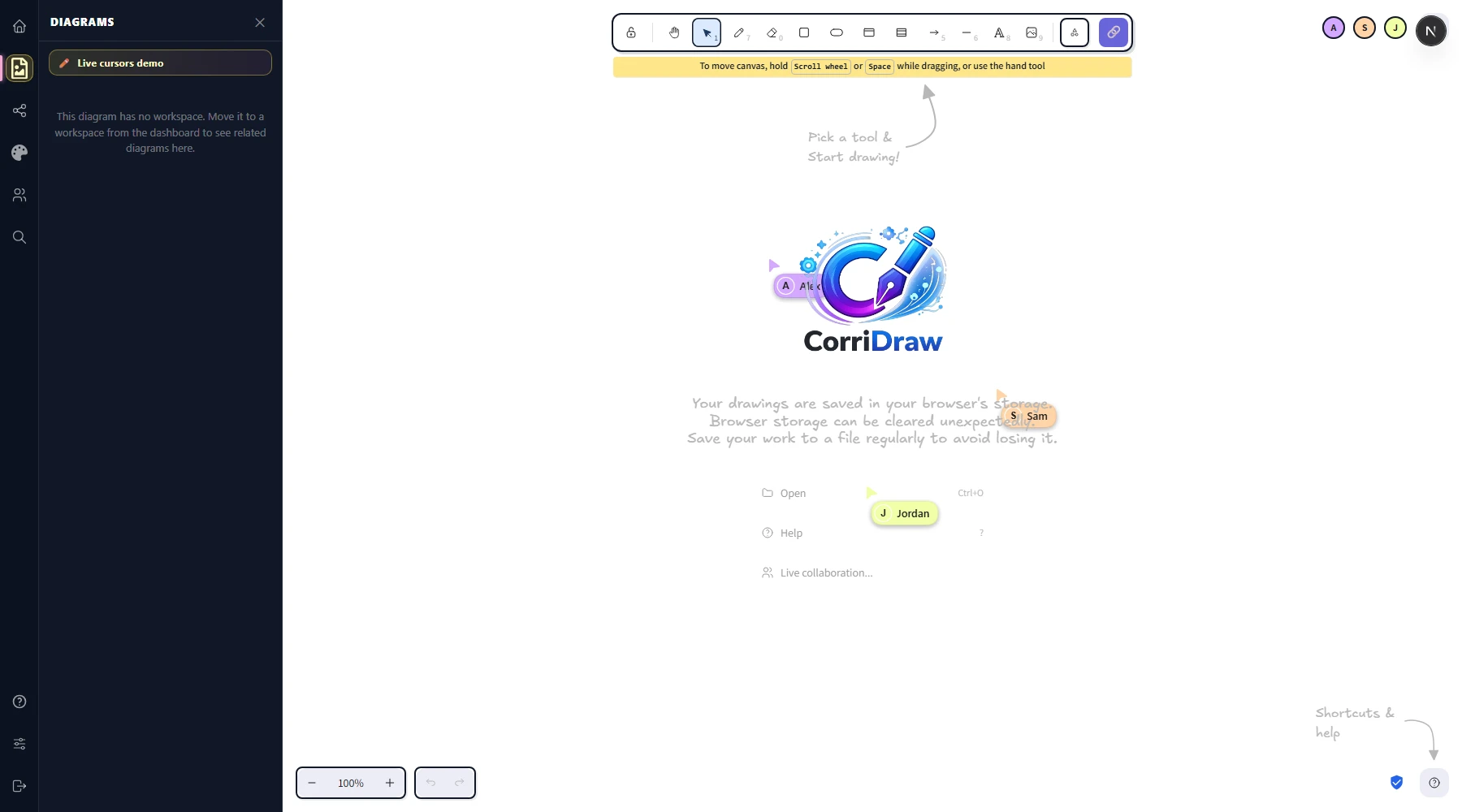
Each connected user's cursor appears as a colored arrow on the canvas with a small name pill floating to its lower-right. The color is generated deterministically from their user id, so the same teammate always gets the same color across sessions — Alex is always pink, Sam is always teal, Jordan is always orange. The pill shows their display name (or Guest 7 for anonymous public-link visitors).
Your own cursor doesn't get a pill — you know where your cursor is.
The avatar row
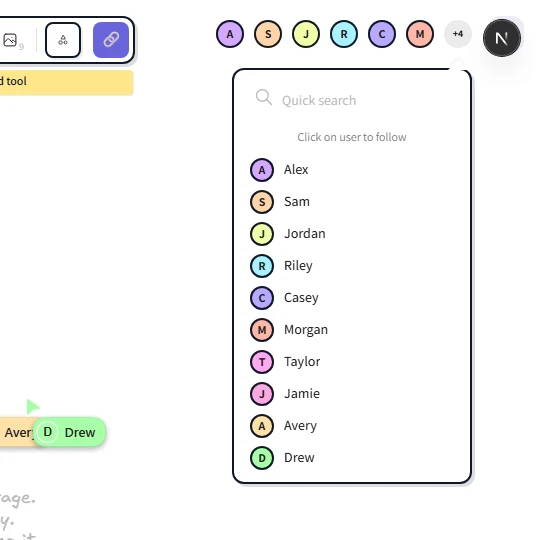
The top-right of the editor shows up to four user avatars (a circle with their initials, in the same color as their cursor). If more than four people are connected, a +N chip sits at the end — click it to pop a list of the rest. Hover any avatar to see the username; click any avatar to follow that user. On touch devices, tap the avatar instead. The avatar row is the same component on desktop and mobile, just with a smaller maximum on narrow screens.
Idle detection
CorriDraw watches mouse and keyboard activity in your tab. After about a minute of no movement you're flagged as away and your avatar dims slightly on every other teammate's screen; your cursor on their canvas does the same. As soon as you move the mouse, type, or even just focus the tab, you snap back to active and the indicator clears within a second. Switching tabs counts as away (the editor cannot see what you're doing in another tab); minimising the browser also counts as away.
Idle status is purely informational — an away teammate can still receive scene updates, and when they come back their changes will sync as usual. There's no kick-after-idle behavior.
Follow a teammate
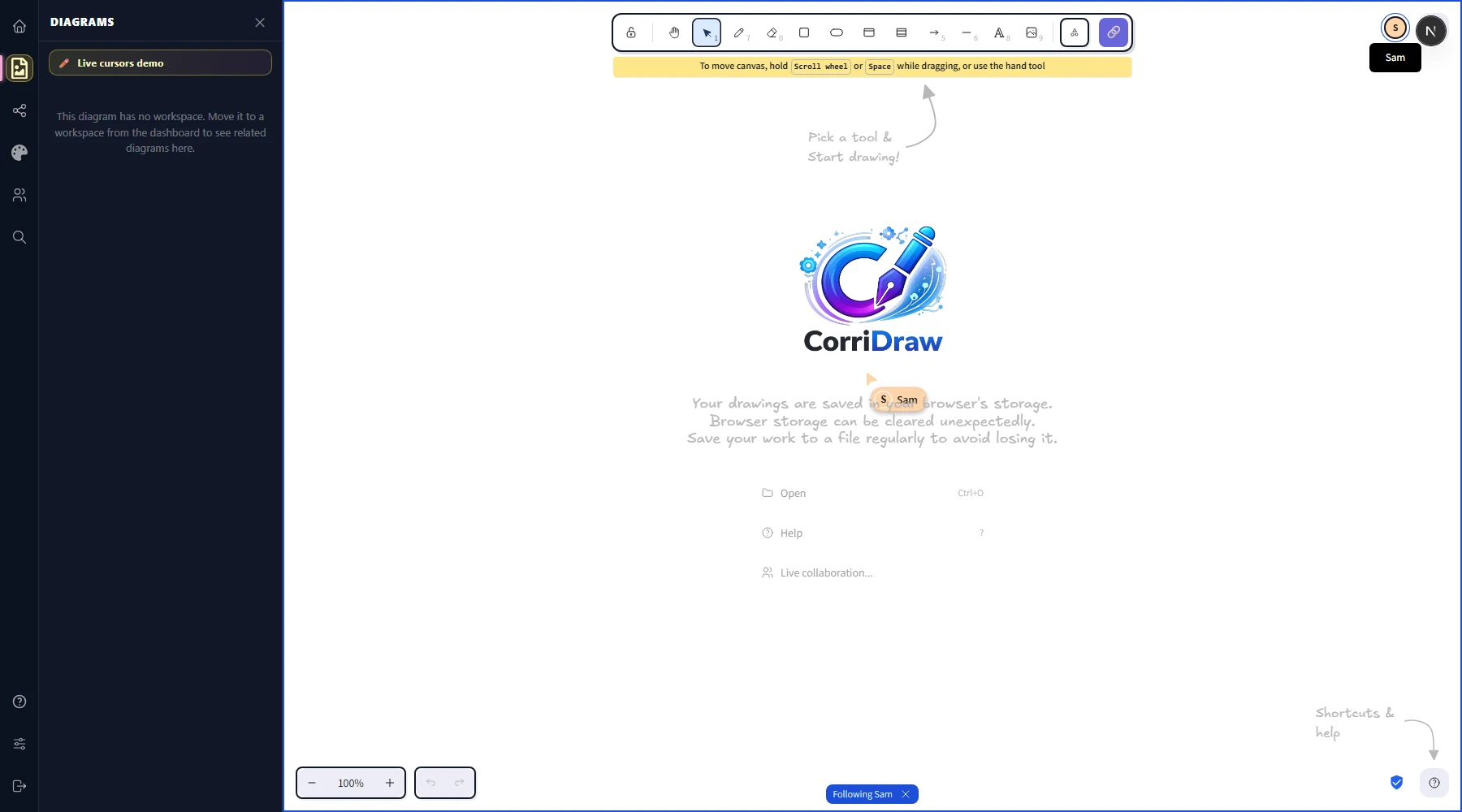
Click any avatar in the top-right row. Your viewport instantly jumps to wherever that user is looking — same pan, same zoom, same area. Their cursor on your screen now has a thin colored ring around it to remind you whose viewport you're piggy-backing on, and a banner appears at the bottom of the canvas reading Following Alex with a small × button. Whenever they pan, zoom, or scroll across the canvas, your view follows. You can still move your own mouse around inside the shared viewport — they won't be dragged anywhere.
Follow is great for design reviews ("walk me through your flow"), pair-debugging a diagram that's grown too big to navigate, and onboarding ("let me show you where everything lives"). It is one-way: you follow them, they don't follow you back automatically. On mobile, tap the avatar to start following and tap the × on the banner to stop.
Stop following
Three ways to exit:
- Click the × button on the Following banner at the bottom of the canvas.
- Click the followed user's avatar a second time — it toggles off.
- Pan or zoom your own canvas. Any deliberate viewport gesture (scroll wheel, two-finger pinch, dragging with the hand tool) silently breaks follow. CorriDraw assumes that if you're moving the camera yourself, you'd rather not be yanked back.
Opting out of being followed
Right now there is no per-session "private camera" toggle — if you're connected, your viewport is followable by anyone with edit or view access to the diagram. The mitigations available today are at the diagram-access layer, not the cursor layer:
- Leave the session: close the tab, or click the live-collaboration menu in the top bar and click Stop session. Your cursor and your followability disappear together.
- Drop your viewport off-screen: drag the canvas with the hand tool to a quiet corner of the infinite canvas before someone follows you. They'll still see your cursor when they catch up, but you can work in peace until they do.
- For genuinely private work, click the diagram's kebab menu on your dashboard, click Duplicate, edit the copy in your personal workspace, and copy the result back when you're done.
A first-class "do not follow me" toggle is on the roadmap. If you'd find it useful, click through to the community webboard and vote on the relevant thread; we prioritise cursor-related improvements based on what teams ask for.
What's actually on the wire
For the curious: every cursor move is a volatile WebSocket broadcast that the CorriDraw collab server (a small Rust service) relays unmodified to everyone else in the room. Each payload is encrypted client-side with AES-GCM using a key the server never sees, so even though the bytes pass through our infrastructure, only your teammates can decrypt them. Idle status, follow/unfollow events, and selection updates all travel the same way. See Offline & merge for what happens when that connection drops.