
Arrowhead styles
Pick from 13 arrowhead styles in CorriDraw, including the full crow's-foot cardinality set, Chen, UML, and custom heads. Swap heads with one click.
An arrow's meaning lives in its heads. CorriDraw ships thirteen arrowhead styles — enough to cover plain flowcharts, the full crow's-foot cardinality set used in ER diagrams, Chen-notation cardinality, and the directed-association style used in UML. Each end of an arrow is independent, so you can mix and match (one-to-many, exactly-one-to-zero-or-one, and so on).
The full set
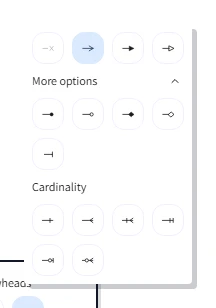
Click an arrow on the canvas to select it. The right-side properties panel slides in; scroll to the Arrowheads row, where two pickers sit side by side — one for the start (tail) end, one for the end (head). Click either picker to open a flyout with all thirteen icon options, then click the head you want. The available options are:
- None — no head, useful for the tail of a simple arrow or both ends of a relationship line.
- Arrow — the classic open chevron. The default for new arrows.
- Bar — a perpendicular tick mark.
- Triangle — solid filled triangle (UML directed-association).
- Triangle (outline) — hollow triangle (UML inheritance / generalization).
- Diamond — solid filled diamond (UML composition).
- Diamond (outline) — hollow diamond (UML aggregation).
- Circle — solid filled circle.
- Circle (outline) — hollow circle.
Plus the four Chen-style cardinality heads:
- Cardinality (one) — single perpendicular bar.
- Cardinality (many) — three-pronged crow's-foot.
- Cardinality (zero or one) — bar plus circle (optional).
- Cardinality (one or many) — bar plus crow's-foot (mandatory many).
Swap a head with right-click
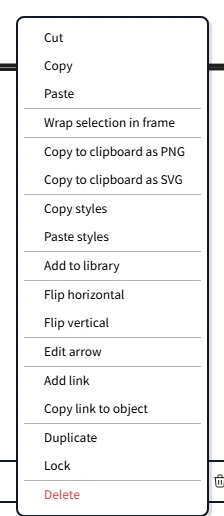
You don't have to open the properties panel to change an arrowhead. Right-click on a selected arrow (long-press on touch) and the context menu surfaces the arrowhead picker directly. Click a style and it applies to whichever end you right-clicked nearest. This is the fastest way to flip a one-to-many into a many-to-many or to clear a head you no longer want.
Crow's-foot for ER diagrams
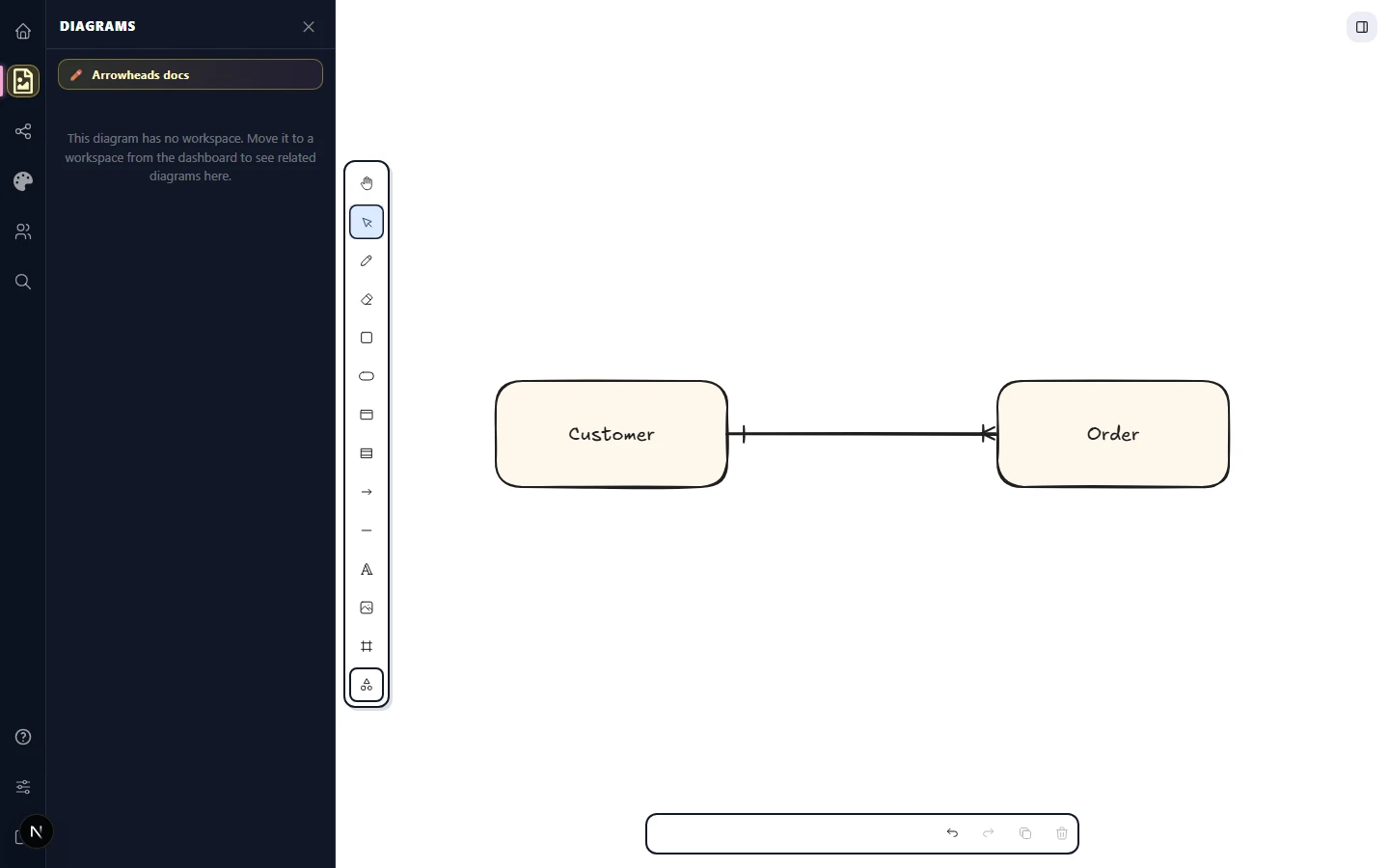
Crow's-foot notation is the most common way to draw entity-relationship diagrams. CorriDraw covers every cardinality you'll need — pick the heads from the same Arrowheads picker described above:
- One mandatory — bar (cardinality one).
- One optional (zero or one) — bar plus circle.
- Many mandatory (one or many) — bar plus crow's-foot.
- Many optional (zero or many) — circle plus crow's-foot.
Read both ends of the arrow to get the full relationship: a line with Cardinality (one) on the left and Cardinality (one or many) on the right means "exactly one of the left entity is related to one or more of the right entity."
UML conventions
For UML class diagrams, click the destination-end picker and pick the triangle or diamond head that matches the relationship:
- Triangle (outline) on the parent — generalization (inheritance).
- Triangle (filled) on the destination — directed association.
- Diamond (filled) at the whole — composition (strong ownership).
- Diamond (outline) at the whole — aggregation (weak ownership).
Mix sharp, curved, and elbow with any head
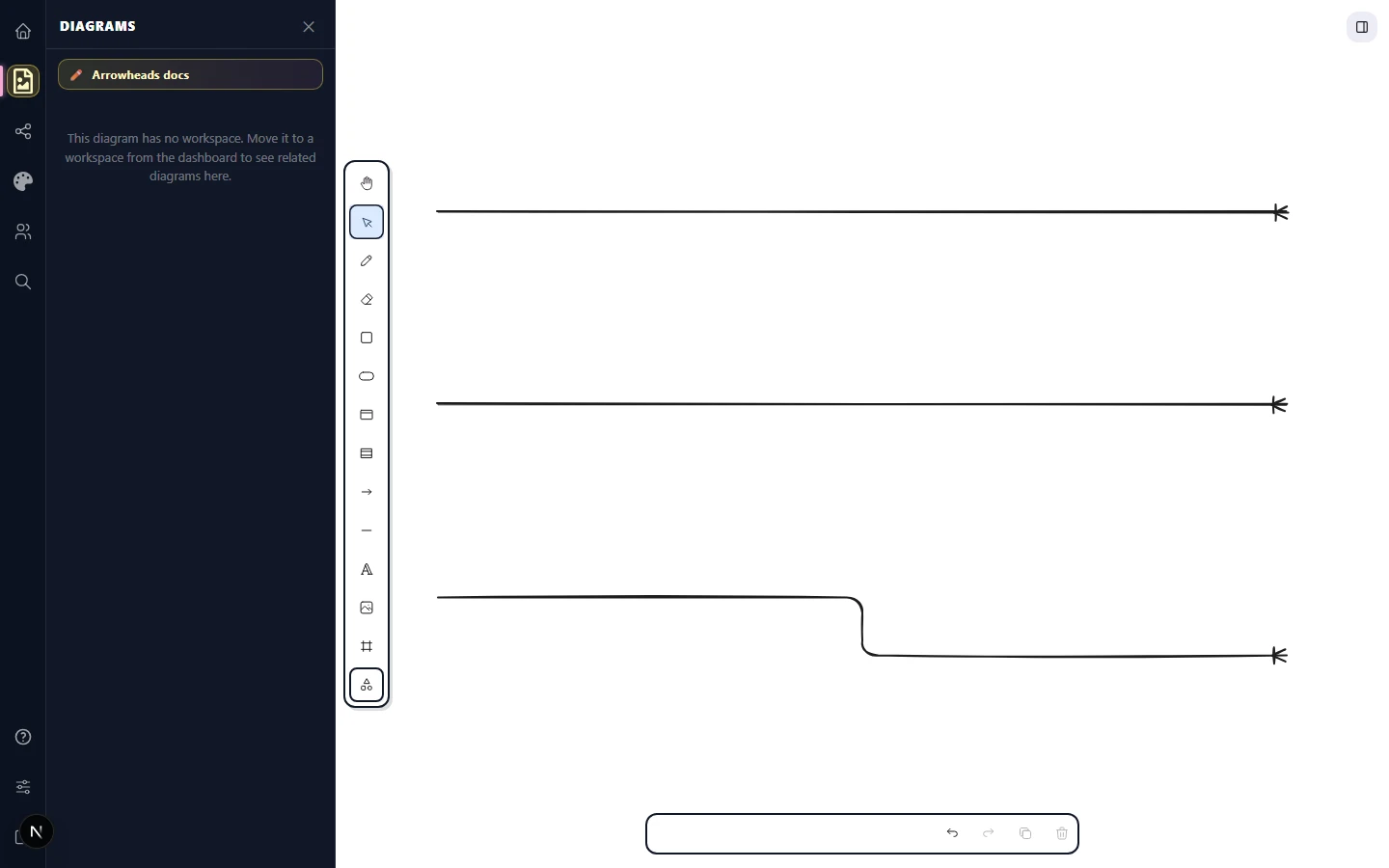
Arrowhead style is independent from the arrow's routing mode. A sharp arrow with a crow's-foot head, a curved arrow with a UML diamond, an elbow arrow with cardinality bars on both ends — every combination is valid and renders correctly. Click an arrow, change the type in the right panel, and the heads carry over unchanged. The head sits at the very end of the path regardless of how that path bends to get there.
Custom and brand heads
If your house style needs a head that isn't in the default thirteen, copy a similar arrow's styles by selecting it and choosing Copy styles from the right-click context menu (or from the Actions row at the bottom of the properties panel). Then select the new arrow and choose Paste styles from the same menu. This propagates not just the head choice but stroke colour, width, and roughness — perfect for keeping a diagram consistent. (Pro tip: Ctrl+Alt+C copies styles and Ctrl+Alt+V pastes them, no menu needed.)